These are my notes for getting ‘imap_append‘ to work with PHPMailer. This is not necessarily the best solution, but here’s mine for those interested.
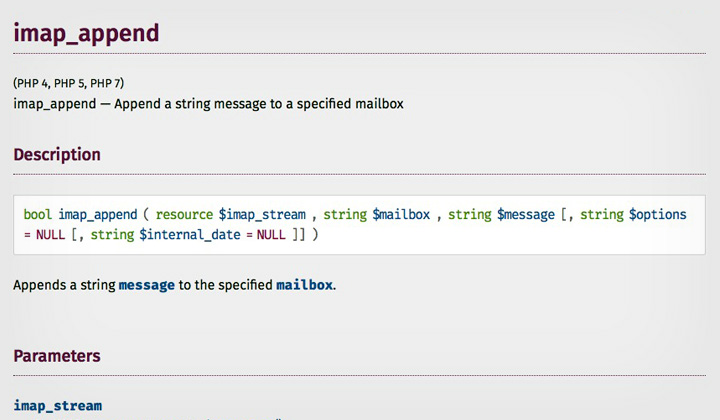
Premise;
I have a script that uses PHPMailer to send out HTML formatted emails with SMTP, through an HTML form. Emails were not saved to the sent folder with this set up, so I wanted to add a feature to append all the sent emails to a specific folder.
Also, append a different email to a second folder if there was an error. And the error message will be left unread while saved email is appended in read state.
Solution;
Change imap server, folder, username & password fields. The folder is probably in the format “{imapserver}folder” (more on that below).
if(!$mail->send()) {
$stream = imap_open("{imap.server.com:993/imap4/ssl/novalidate-cert}", "login", "password");
imap_append($stream, "{imap.server.com}Sent Error"
, "From: custom@email.com\r\n"
. "To: custom@email.com\r\n"
. "Subject: Sent Error\r\n"
. "Content-Type: text/html;\r\n\tcharset=\"utf-8\"\r\n"
. "Content-Transfer-Encoding: 8bit \r\n"
. "\r\n"
. "There has been an error (see below).<br /><br />\r\n"
. "<font color=\"red\">" . $mail->ErrorInfo . "</font>"
. "<br /><br />Message below:<br />\r\n"
. $message
);
imap_close($stream);
} else {
$stream = imap_open("{imap.server.com:993/imap4/ssl/novalidate-cert}", "login", "password");
imap_append($stream, "{imap.server.com}Sent OK"
, "From: custom@email.com\r\n"
. "To: " . $_POST['email'] . "\r\n"
. "Subject: Sent Successfull\r\n"
. "Content-Type: text/html;\r\n\tcharset=\"utf-8\"\r\n"
. "Content-Transfer-Encoding: 8bit \r\n"
. "\r\n"
. $message
, "\Seen"
);
imap_close($stream);
}
PS. Find the different IMAP server connection settings here.
Solved;
Usual advice is something like, “$mail->getSentMIMEMessage()” to get raw message for mail output. But I haven’t used it, on “PHP 5.4.45” I got this error;
Call to undefined method PHPMailer::getSentMIMEMessage()
I wasn’t sure what the correct name of the folder of my email sent folder was, so this was the work around. Create an imap_getmailboxes.php file;
Change imap server, username & password fields.
<?php
 $mbox = imap_open("{imap.server.com}", "username", "password", OP_HALFOPEN)
       or die("can't connect: " . imap_last_error());
$list = imap_getmailboxes($mbox, "{imap.server.com}", "*");
 if (is_array($list)) {
     foreach ($list as $key => $val) {
         echo "($key) ";
         echo imap_utf7_decode($val->name) . ",";
         echo "'" . $val->delimiter . "',";
         echo $val->attributes . "<br />\n";
     }
 } else {
     echo "imap_getmailboxes failed: " . imap_last_error() . "\n";
 }
imap_close($mbox);
 ?>
Run php imap_getmailboxes.php, if you get;
PHP Fatal error: Call to undefined function imap_open() in imap_getmailboxes.php on line 2
For example (will differ depending on PHP version); apt-get install php5-imap
For me Apache was automatically restarted, if not, need to do it manually.
An easy way to check if it’s enabled is, php -m | grep imap
Here’s my example output with imap_getmailboxes;
(0) {mail.exchangemail.hk}archive-2015,'/',64
(1) {mail.exchangemail.hk}Calendar,'/',64
(2) {mail.exchangemail.hk}Contacts,'/',32
(3) {mail.exchangemail.hk}Deleted Items,'/',64
(4) {mail.exchangemail.hk}Drafts,'/',68
(5) {mail.exchangemail.hk}INBOX,'/',68
(6) {mail.exchangemail.hk}Journal,'/',64
(7) {mail.exchangemail.hk}Junk Email,'/',64
(8) {mail.exchangemail.hk}Notes,'/',64
(9) {mail.exchangemail.hk}Outbox,'/',64
(10) {mail.exchangemail.hk}Sent,'/',64
(11) {mail.exchangemail.hk}Sent Items,'/',64
(12) {mail.exchangemail.hk}Tasks,'/',64
(13) {mail.exchangemail.hk}Trash,'/',68
Therefore the correct folder was for example “{mail.exchangemail.hk}Sent”.
And that’s pretty much it.
Thanks David